About MS Office Speed Challenge
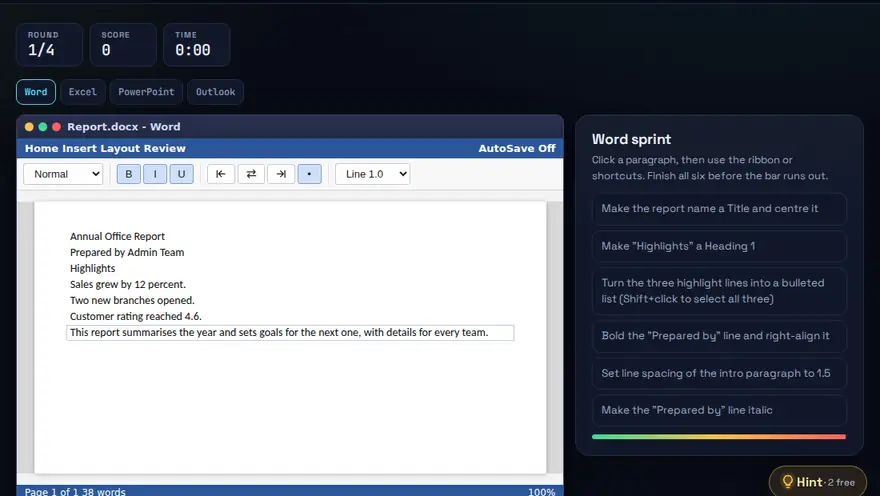
A free MS Office practice game for Word, Excel, PowerPoint and Outlook. Timed rounds across Word, Excel, PowerPoint and Outlook. Do it right and do it fast.
Skills you practise
- Word formatting
- Excel formulas
- PowerPoint design
- Email etiquette
How to play
- Each round is a timed task in one Office app.
- Complete the task before the clock hits zero.
- Faster, cleaner answers earn bonus points.
Why this skill matters
Word, Excel, PowerPoint and Outlook are the daily tools of most offices. Knowing the right shortcut or feature can turn a ten-minute task into ten seconds, and employers notice who works cleanly and fast. This game builds that fluency under light time pressure. Students can use it as quick MS Office practice for Word, Excel and PowerPoint between lessons, and anyone preparing for a computer skills test can use it to refresh the common tasks and keyboard shortcuts.
Key terms you will meet
- Styles (Word)
- Reusable formatting for headings and body text, so a document stays consistent and the table of contents builds itself.
- Formula (Excel)
- An instruction that starts with = and calculates a result from cells, such as =SUM(B2:B10).
- Slide master (PowerPoint)
- A template that controls fonts, colours and layouts across all slides.
- CC and BCC (Outlook)
- CC copies someone openly. BCC copies them without showing their address to other recipients.
- Keyboard shortcut
- A key combination such as Ctrl+C, Ctrl+V or Ctrl+Z that replaces several mouse clicks.
- Mail merge
- Producing many personalised letters or emails from one template and a list of names.
A worked example
A round asks you to make a heading bold, centre a title and add page numbers in Word, then total a column in Excel, then reply to everyone in Outlook with an attachment. A learner who uses Ctrl+B, the Home tab alignment buttons and =SUM finishes quickly with fewer clicks. The explanation after each task shows the faster route if you took the slow one.
Common mistakes to avoid
- Formatting headings by hand instead of using Styles.
- Using Reply All when only the sender needed the answer.
- Typing totals manually in Excel instead of using a formula, so numbers go out of date.
Questions people ask
Which Office skill is most valued by employers?
Excel is usually first, followed by clear Word documents and professional email habits.
Do the shortcuts work on Mac?
Many use the Command key instead of Ctrl. The game explains the idea; the key names differ by system.
How can I practise MS Office skills for free?
Play short timed rounds in your browser covering Word formatting, Excel formulas, PowerPoint design and Outlook email etiquette, with nothing to download and no licence needed. Then repeat the same tasks in your own copy of Office so they stick.
Level: All · Best for: All students · Part of the Office & Productivity path. Pass it to earn the “MS Office Speed Challenge Master” badge and a game certificate.
Related: File Management Maze, Typing Race, Excel Formula Quest · Next: Excel Formula Quest · All 18 games · About · IT glossary
Content reviewed by Hritik · 2026-11-11.