About Packet Runner
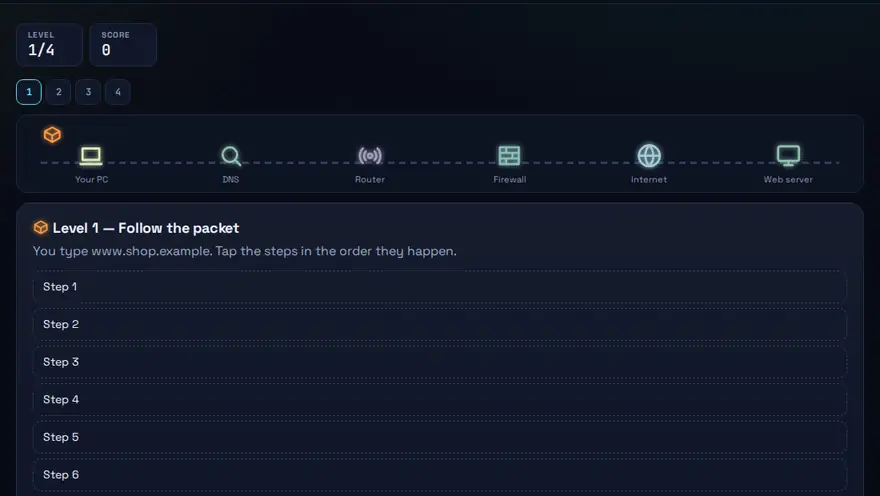
A free DNS and routing practice game. Guide a packet across DNS, routers, switches and firewalls. When it drops, work out why.
Skills you practise
- DNS
- Routing
- Ports & protocols
- Firewalls
How to play
- Choose each hop for your packet.
- Set the right port and protocol.
- Diagnose where the packet died.
Why this skill matters
Every web page, video call and email is broken into small packets that cross several devices before reaching you. When something fails, the problem is usually at one stop along that route. Knowing what DNS, routers, switches and firewalls each do tells you where to look. It is also a hands-on way to learn how DNS works: you see the lookup that turns a name into an IP address, then follow the packet through routers, switches and firewalls, with tools such as traceroute coming up along the way.
Key terms you will meet
- Packet
- A small chunk of data with a source address, a destination address and a piece of the content.
- DNS
- The system that turns a name like example.com into the IP address computers actually use.
- Router
- Chooses the next hop for a packet so it moves toward its destination across networks.
- Switch
- Forwards frames between devices on one local network using hardware addresses.
- Firewall
- Allows or blocks traffic according to rules, for example blocking an unused port.
- Latency and packet loss
- Latency is delay. Packet loss is data that never arrives, causing slow or choppy connections.
A worked example
You guide a packet from a laptop to a website. It first asks DNS for the address. Then it leaves via the home router, passes through the provider's routers, and meets the site's firewall. If the packet is dropped, the game asks you to work out why: a wrong DNS answer, a blocked port, or no route. Each stop teaches which tool, such as ping or traceroute, would reveal the fault.
Common mistakes to avoid
- Blaming 'the internet' without checking DNS or the local connection.
- Mixing up the jobs of a router (between networks) and a switch (inside one network).
- Forgetting that a firewall rule can silently block a service that is otherwise fine.
Questions people ask
What does DNS do?
It translates website names into IP addresses so your device knows where to send the request.
Which tool shows where a packet is delayed or dropped?
traceroute (tracert on Windows) lists each hop, and ping tests whether a destination answers at all.
How does a web request travel across the internet?
Your device asks DNS for the server's IP address, sends packets to your router, and they hop across other routers until they reach the destination, where a port number picks the right service, such as 443 for HTTPS. Firewalls along the way can allow or block them. Packet Runner lets you follow that journey step by step.
Level: Advanced · Best for: Networking students · Part of the Networking path. Pass it to earn the “Packet Runner Master” badge and a game certificate.
Related: Network Setup Simulator, Binary Builder · Next: Cyber Safety Escape Room · All 18 games · About · IT glossary
Content reviewed by Hritik · 2026-11-11.