About Typing Race
A free typing practice game for code and terminal commands. Race rival bots typing paragraphs, code and terminal commands. Beat your own WPM.
Skills you practise
- Typing speed
- Accuracy
- Keyboard shortcuts
How to play
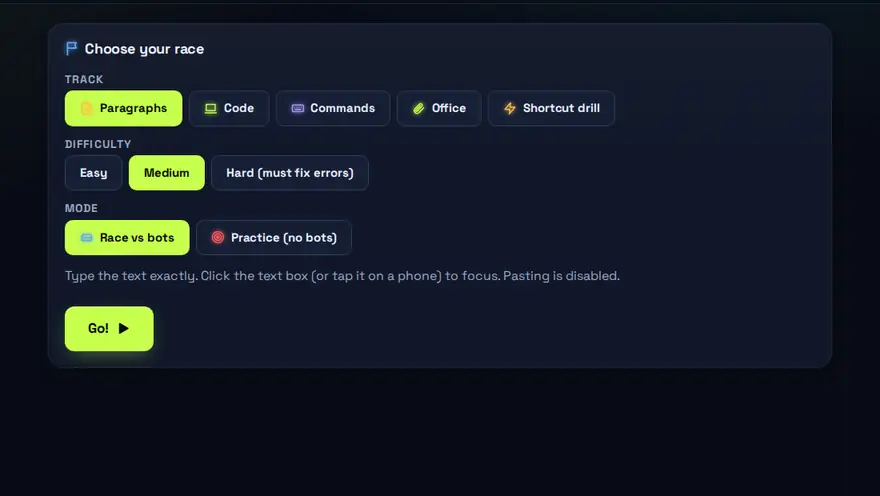
- Choose a track: text, code, commands or office.
- Type exactly what you see — accuracy matters as much as speed.
- Beat the bots to the finish line.
Why this skill matters
Speed and accuracy at the keyboard affect almost every office, data-entry and support job. Typing without looking at the keys frees your attention for reading and thinking. Developers and administrators also need to type symbols and commands correctly, because one wrong character can change what a command does. As typing practice for programmers and system administrators, it drills the symbols and shell commands where a single wrong character changes the result, not just ordinary sentences.
Key terms you will meet
- WPM (words per minute)
- A speed measure. One 'word' is counted as five characters, including spaces.
- Accuracy
- The share of characters typed correctly. High accuracy matters more than raw speed in most jobs.
- Touch typing
- Typing without looking at the keyboard, using all fingers and the home row (ASDF JKL;).
- Home row
- The row of keys where your fingers rest, from which every other key is a short reach.
- Error rate
- How often mistakes happen. Cutting errors usually raises your real speed because you stop correcting.
- Command-line typing
- Typing exact text such as ls -la or ping 8.8.8.8, where spacing and symbols must be perfect.
A worked example
You start with a paragraph at 25 WPM and 92% accuracy. Instead of pushing for speed, you slow slightly until accuracy passes 97%, then speed builds naturally. Over several rounds your score climbs to 35 WPM at 98%. The game also mixes in code and terminal lines so you practise brackets, slashes and dashes, not only letters.
Common mistakes to avoid
- Looking down at the keys, which caps speed.
- Chasing speed while ignoring errors, then spending more time correcting.
- Typing with only a few fingers and never learning the home-row positions.
Questions people ask
What is a good typing speed for office jobs?
Many data-entry and office roles ask for roughly 30 to 40 WPM with high accuracy, though requirements vary by employer.
How can I improve quickly?
Practise a little every day, keep your eyes on the screen, and aim for accuracy first. Speed follows.
What is WPM and how is it measured?
WPM means words per minute. Typing tests usually count every five characters as one word and divide by the time taken, so results are comparable across different texts. Accuracy matters as much as speed, because every mistake costs time to correct.
Level: All · Best for: All students · Part of the Office & Productivity path. Pass it to earn the “Typing Race Master” badge and a game certificate.
Related: File Management Maze, MS Office Speed Challenge, Excel Formula Quest · Next: MS Office Speed Challenge · All 18 games · About · IT glossary
Content reviewed by Hritik · 2026-11-11.